Fix Bad Facebook Leads: The Meta Conversion API Setup Guide (2026)
On this page
You are running ads for a AED 5,000,000 apartment. The leads come in fast and cheap — and almost none of them can buy a AED 5M anything. Wrong budget, wrong timeline, half of them just wanted the floor plan. Your sales team burns the week chasing tyre-kickers, and you quietly wonder if Facebook is broken.
Facebook is not broken. It is doing exactly what you told it to do — it just optimised for the wrong thing.
This is a Meta Conversion API setup guide written for that exact problem. By the end you will know why the platform sends you cheap, unqualified Facebook ads bad leads, and how to teach the algorithm to hunt for buyers instead of form-fillers — using four custom events and your CRM. It is the same system I set up for Dubai real estate clients, and it is completable from this article alone.
How the loop works
- Lead Created
- Contacted
- Sales Qualified
- Converted
Sales tags each stage
Server-to-server
Hashed & private · no cookies · survives ad blockers
Finds look-alikes of your qualified leads
Cheaper qualified leads
Optimise for the ★ stage
The whole method in five steps — the rest of this guide is the detail behind each:
- Track every lead's stage in your CRM — contacted, qualified, closed.
- Connect your CRM to Meta with the Conversion API (no code for most setups).
- Send four events back — Lead Created, Contacted, Sales Qualified, Converted.
- Verify they land, with an Event Match Quality of 8 or higher.
- Switch the campaign to optimise for Sales Qualified, then let it learn for 4–6 weeks.
Why Facebook sends you bad leads
Meta's algorithm optimises for whatever event you tell it is the goal. That is the whole game.
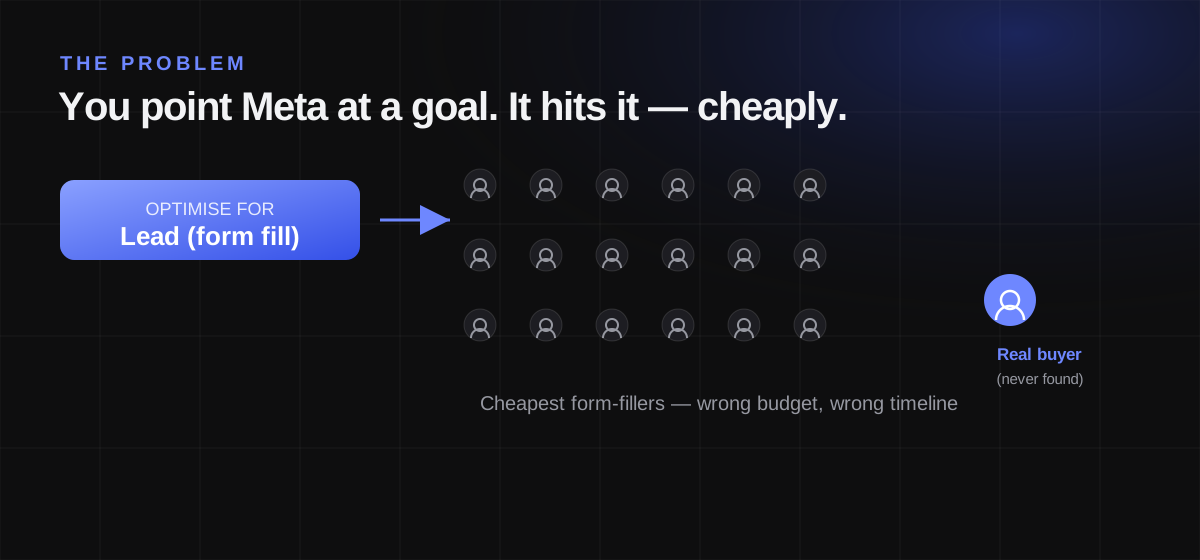
When you run a standard Lead Ad, the default optimisation event is "Lead" — a form submission. So Meta goes and finds you the people most likely to submit that form, as cheaply as possible. And the people most likely to fill in a form at 11pm on their phone are rarely the same people who can wire a 20% deposit on a luxury unit. The algorithm is doing its job perfectly. You just pointed it at the wrong finish line.
Here is the part most people miss: without a downstream signal, the algorithm never learns who was actually good. It knows someone submitted a form. It has no idea whether your sales team reached them, whether they qualified, or whether they bought. So it keeps optimising for the only thing it can measure — cheap form fills. No feedback loop, no learning. You are asking Meta to improve lead quality while hiding from it the one number that defines quality.
Fixing bad leads is not a targeting problem or a creative problem. It is a feedback problem. You have to send the outcome back.
Illustrative — swap in your own Events Manager screenshot here.
The fix: four custom events via the Conversion API
Meta's Conversions API (CAPI) — often searched as "conversion api" — is a server-to-server pipe that lets your CRM send events straight to Meta, no browser required. That matters because the events that define lead quality happen days after the form, offline, inside your sales process. The Pixel can never see them. The Conversion API can.
The framework is four events that mirror your funnel. Each one teaches Meta something the last one could not:
| Event | Fires when | Signal it teaches Meta |
|---|---|---|
| Lead Created | the Instant Form is submitted | volume — who fills in forms |
| Contacted Lead | sales actually reaches / connects with them | reachability — real phone numbers, real people |
| Sales Qualified Lead (SQL) | the lead matches your ideal buyer profile | quality — budget, timeline, intent |
| Converted Lead | the deal closes / revenue lands | money — who actually bought |
When you send SQL and Converted Lead back into Meta, you change what the algorithm optimises toward. Instead of hunting for the cheapest form-filler, it starts hunting for people who resemble the ones your sales team qualified. Meta reports that pairing the Conversions API with its Conversion Leads performance goal cuts cost per quality lead by around 19% versus the standard Leads goal. In practice I have seen the shift be far more dramatic on the metric that matters — cost per qualified lead — because you stop paying for the noise.
One critical nuance, and it is where most guides get it wrong: do not optimise for "Converted Lead" on day one. A closed AED 5M deal is far too rare for the algorithm to learn from — it might see two a month. Meta's own rule of thumb is to optimise for a stage that roughly one-third to one-half of your leads reach. For luxury real estate, that is almost always SQL, not the closed deal. You still send the deeper events (they sharpen the model over time), but you point the optimisation at the stage with enough volume to actually teach.
Step-by-step: setting up the Meta Conversion API
Everything below is doable this week. Where the interface matters, capture your own screenshots at the marked points — Meta's Events Manager changes often.
a. Prerequisites
- A Meta Business Manager account with your ad account and a Pixel / Dataset created (Events Manager → Data Sources).
- Lead Ads using Instant Forms. Meta's Conversion Leads optimisation is built for form-based Lead Ads.
- A CRM where every lead's stage is tracked — contacted, qualified, closed. This is non-negotiable; it is the source of your signal.
- Ideally, the 15–17 digit Meta Lead ID stored on each CRM record. Meta uses it to match the lifecycle event back to the exact ad-generated lead. If you cannot store it, you will fall back to hashed phone and email.
- Admin access to the Business Manager and the ad account.
b. Choose your integration path
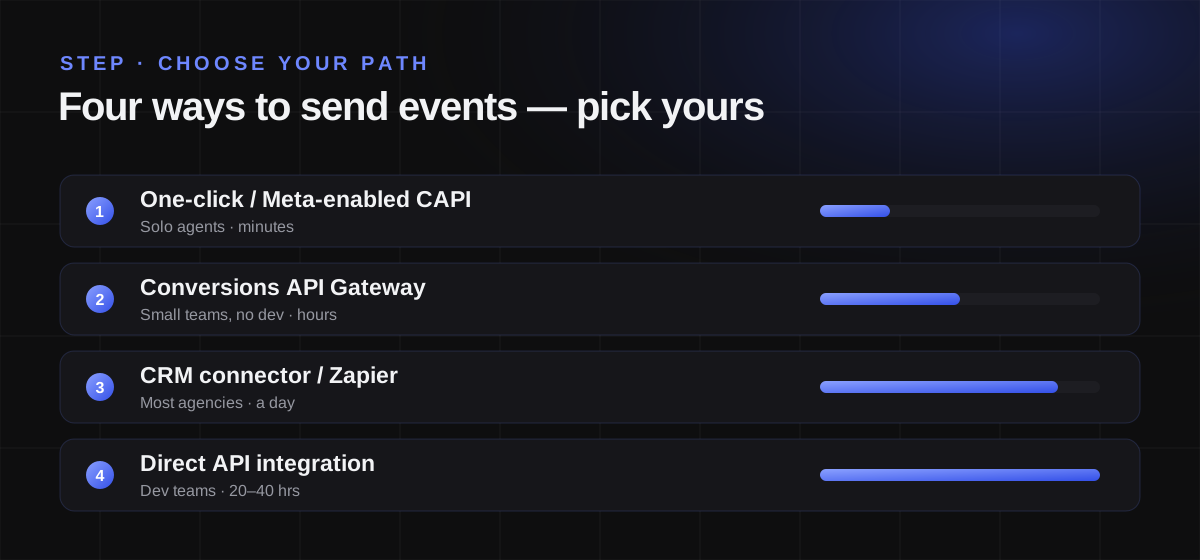
There is no single "right" way to send events — there is the right way for you. Pick by your resources, not by what a blog says is fanciest.
| Path | Best for | Effort | Notes |
|---|---|---|---|
| Meta-enabled / one-click CAPI | solo agents, first-timers | Minutes | Meta hosts it; least control, fastest start |
| Conversions API Gateway | small teams, no dev | Hours | Self-serve in Events Manager; Pixel + CAPI redundancy, no code |
| CRM connector / Zapier / GoHighLevel | most agencies | A day | Native lifecycle-event connectors (HubSpot, Zoho, Salesforce); the practical sweet spot for lead quality |
| Direct API integration | dev teams, custom stacks | 20–40 hrs | Full control, custom logic; overkill for most brokerages |
For a typical Dubai brokerage or solo agent, the CRM connector route is the answer. Your leads already live there, and the connector maps each pipeline stage to a Meta event automatically.
Illustrative — swap in your own Events Manager screenshot here.
c. Create the four custom events
In Events Manager, create a custom event for each funnel stage. Keep the names clean and consistent — you will reference them in every payload and in campaign setup:
LeadCreated · ContactedLead · SQL · ConvertedLead
For any event that also fires in the browser (usually the initial lead), attach an event_id so Meta can deduplicate. If the Pixel and the Conversion API both report the same lead with the same event_name and event_id within 48 hours, Meta counts it once. The three deeper events (ContactedLead, SQL, ConvertedLead) come only from your CRM, so deduplication does not apply to them — there is no browser twin.
d. Send events from your CRM (with real payloads)
Each CRM update fires a server event to Meta. Here is a representative payload per stage. Note two things that make these lead events, not web events: action_source is "system_generated", and the Meta lead_id is the primary match key.
Lead Created — send when the form is submitted:
{
  "data": [{
    "event_name": "LeadCreated",
    "event_time": 1721551200,
    "action_source": "system_generated",
    "event_id": "lead_10293",
    "user_data": {
      "lead_id": "1234567890123456",
      "em": ["b642b4217b34b1e8d3bd915fc65c4452"],
      "ph": ["a9f0e61a137d86aa9db53465e0801612"]
    }
  }]
}
Contacted Lead — send when sales connects:
{
  "data": [{
    "event_name": "ContactedLead",
    "event_time": 1721637600,
    "action_source": "system_generated",
    "user_data": { "lead_id": "1234567890123456" },
    "custom_data": { "lead_event_source": "HubSpot", "event_source": "crm" }
  }]
}
Sales Qualified Lead — the one you will optimise toward:
{
  "data": [{
    "event_name": "SQL",
    "event_time": 1721724000,
    "action_source": "system_generated",
    "user_data": { "lead_id": "1234567890123456" },
    "custom_data": { "lead_event_source": "HubSpot", "event_source": "crm" }
  }]
}
Converted Lead — send with the deal value when it closes:
{
  "data": [{
    "event_name": "ConvertedLead",
    "event_time": 1722328800,
    "action_source": "system_generated",
    "user_data": { "lead_id": "1234567890123456" },
    "custom_data": { "value": 5000000, "currency": "AED" }
  }]
}
Why the hashing? The em and ph values above are not plain email and phone — they are SHA-256 hashes. Meta never receives the raw personal data; it hashes its own user data the same way and matches on the fingerprints. Never send raw email or phone numbers. Good connectors hash automatically; if you build this yourself, hash before you send. The more matched identifiers you include, the higher your Event Match Quality.
e. Verify in Events Manager
Do not assume it works — check.
- Use the Test Events tool (Events Manager → your dataset → Test Events) to fire a live lead through and watch the events land in real time.
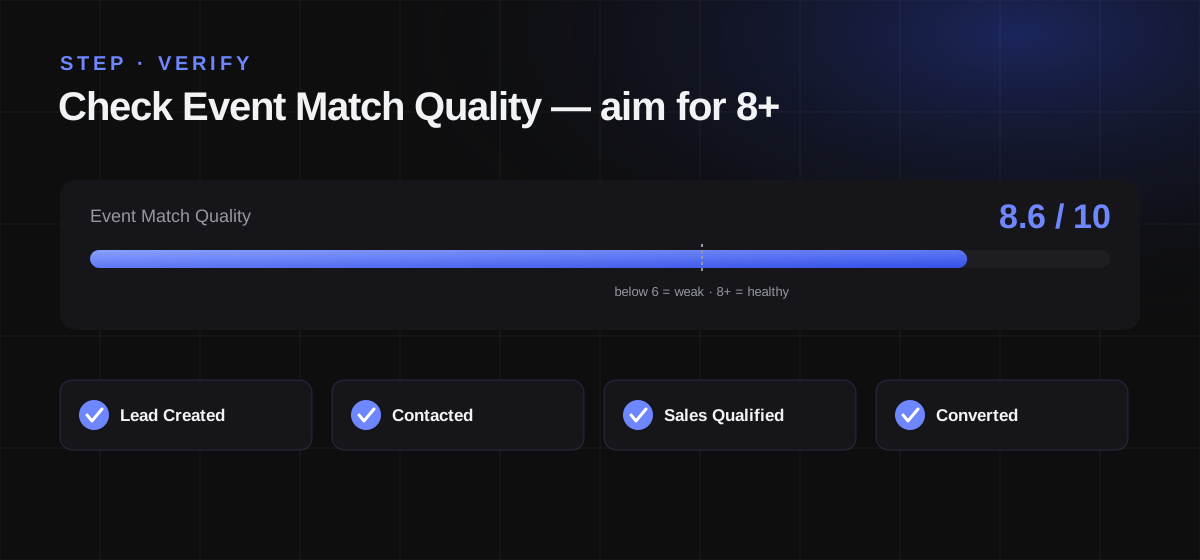
- Check the Event Match Quality score. It runs 1 to 10. Below 6 is weak; aim for 8 or higher. If it is low, add more hashed identifiers — email plus phone plus the lead ID will usually push you into the green.
- Confirm each of the four events is being received and attributed.
Illustrative — swap in your own Events Manager screenshot here.
f. Switch your campaign optimisation
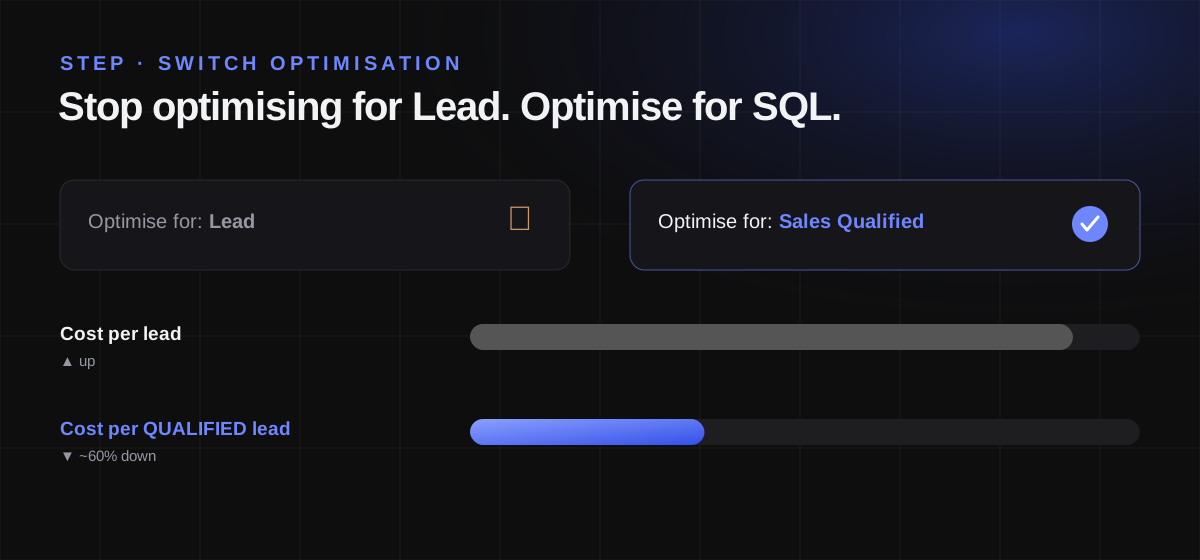
This is the step that changes your results. In your Lead Ad campaign, set the performance goal to Conversion Leads and choose the deeper event — for most Dubai real estate, that is SQL.
Check eligibility first. Meta's Conversion Leads goal expects:
- Instant-Form Lead Ads (it is built for them)
- at least 200 leads per month
- lifecycle data uploaded at least once a day
- a target conversion rate between 1% and 40%
- the conversion event happening within 28 days of the lead
Then respect the learning phase — 2 to 4 weeks. During it, Meta is figuring out what a qualified lead looks like. Your numbers will wobble. Do not panic-edit the campaign; every major edit resets the learning.
Illustrative — swap in your own Events Manager screenshot here.
g. Common mistakes
- Optimising too deep, too early. Pointing at "Converted Lead" when you close two deals a month starves the algorithm. Optimise for the stage a third to a half of leads reach.
- Duplicate events. Missing or mismatched
event_idon browser-and-server events double-counts your leads and corrupts the signal. - Poor match quality. An Event Match Quality below 6 means Meta cannot connect most of your CRM events to real users — the whole loop leaks. Add identifiers.
- Ending the learning phase early. Judging results in week one, or editing mid-learning, throws away the exact process you set up.
Illustrative walkthrough: the AED 5,000,000 property
The numbers below are modeled for illustration — realistic for Dubai luxury, but not a specific client result. Swap in your own once you have run it. [PLACEHOLDER: replace with your real campaign figures]
Before — optimising for "Lead":
- ~300 leads a month at a low cost per lead
- roughly 2% genuinely qualified for a AED 5M unit
- the sales team drowning in follow-ups that go nowhere
The switch: four events wired from the CRM, campaign moved to the Conversion Leads goal optimising for SQL, then 4 to 6 weeks of signal while the learning phase completes.
After — optimising for SQL: fewer leads, and each raw lead costs more — which looks worse until you read the right row. The qualified rate climbs, so the cost of a qualified lead falls hard.
| Metric | Before (optimise: Lead) | After (optimise: SQL) |
|---|---|---|
| Leads / month | 300 | 140 |
| Cost per lead | AED 60 | AED 130 |
| Qualified rate | 2% | 11% |
| Cost per qualified lead | AED 3,000 | AED 1,182 |
| Sales hours wasted | High | Low |
The raw cost per lead more than doubled. The cost per qualified lead dropped by roughly 60% — and the sales team spends its week on people who can actually buy. That is the entire point.
The lesson: judge a campaign on cost per qualified lead, never cost per lead. Cheap leads are the most expensive thing you can buy if none of them close. Model the maths for your own market with my Meta Ads budget calculator, and if you want the wider playbook, the Dubai real-estate lead-gen system sits upstream of everything here.
Set it up once, benefit every month after
You do not fix bad Facebook leads by shouting at the algorithm or endlessly swapping creatives. You fix them by closing the loop — sending the real outcome back so Meta learns who your buyers actually are. Set it up once, and every campaign after it gets smarter. For how the same principle runs across Google and TikTok too — plus AI creative and Dubai's rules for AI-made ads — see the AI real estate marketing playbook.
If you would rather have it done for you — the CRM events, the Conversion API, the campaign switch, wired and verified — that is exactly what I build for real estate brands through WIYO Marketing. Book a free consultation and I will map it to your funnel. For more field notes on Dubai lead generation, follow along on Instagram @shaffay_bajwa.